Software Fitness Studio: Pick the Best Platform for 2026
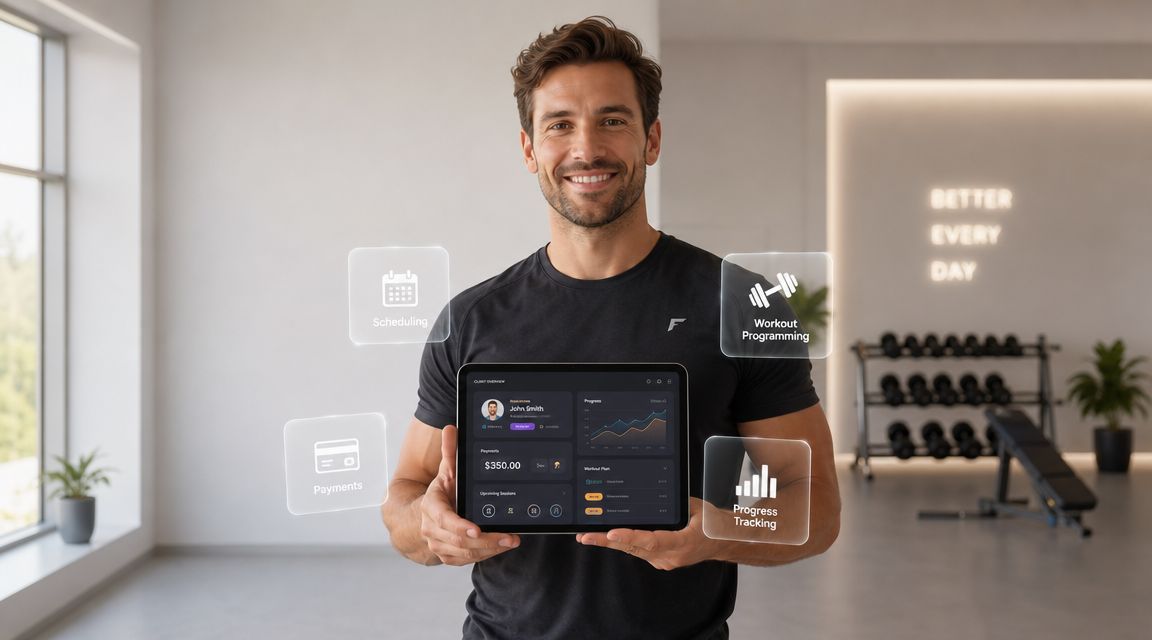
You've got enough clients to prove you can coach. What's breaking isn't your programming, it's the business layer around it. One roster lives in Google Sheets, check-ins happen in text threads, payments come through a separate app, and your calendar looks clean until two people try to book the same slot.
That setup works for a minute. Then it starts stealing income. Missed invoices, forgotten follow-ups, late cancellations, and buried client notes don't just waste time, they make your service feel less professional than the results you deliver.
A lot of coaches still think software fitness studio tools are mostly for boutique gyms running class timetables. That's outdated. The category was valued at about USD 250 million in 2023 and is projected to reach USD 650 million by 2032, according to Dataintelo's fitness studio management software market report. That growth tells you something simple. This is no longer a niche admin add-on. It's core business infrastructure.
Table of Contents
When Your Coaching Business Runs on Duct Tape and Spreadsheets
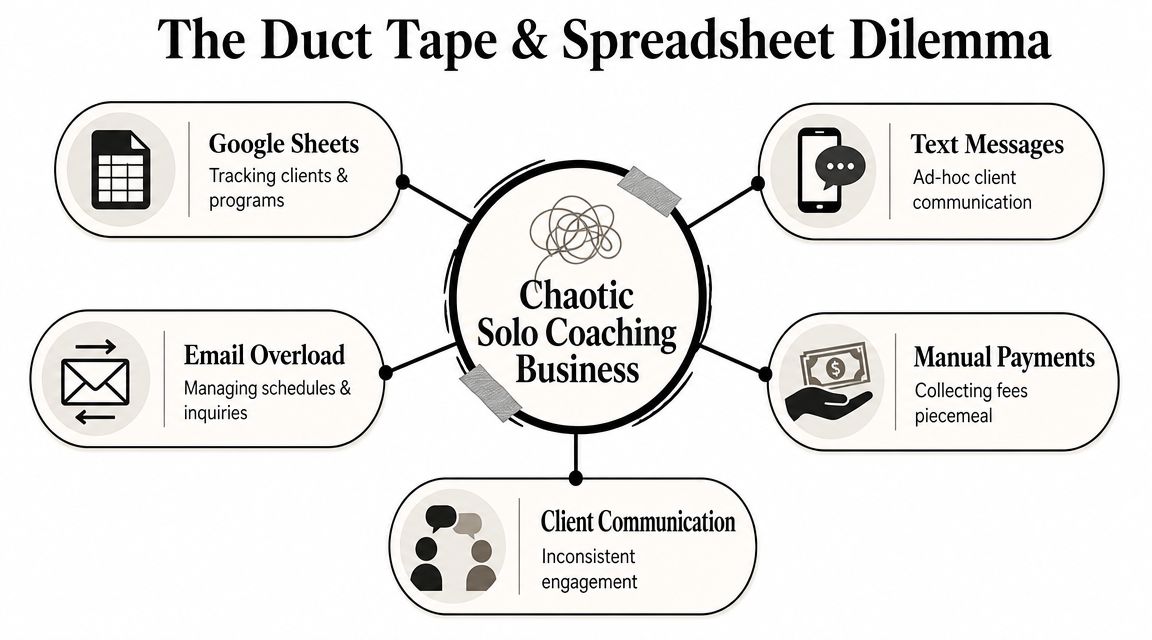
If you're running a solo coaching business, chaos usually arrives before burnout. It shows up as small friction points. A client asks where their updated plan is. Another says they already paid. Someone wants to move Thursday to Friday, and now you're checking three apps to make sure you don't create a mess.
That's the point where a software fitness studio platform starts mattering. Not because you need fancy dashboards, but because you need one place where the business runs.
What the mess is really costing you
Most coaches blame growth problems on lead flow or pricing. Sometimes that's true. More often, the actual cap is operational drag.
Here's what disconnected tools usually cause:
Programming gets slower: You rebuild sessions from old notes, screenshots, and saved templates instead of delivering clean updates fast.
Client communication gets lost: Important check-ins sit beside memes, family texts, and missed-call notifications.
Payments become personal: Instead of a system collecting money, you become the collection process.
Scheduling eats your day: One reschedule turns into six messages.
Progress tracking turns vague: You know the client is improving, but pulling up the proof takes too long.
Practical rule: If a client issue requires you to open more than one app to solve it, your system is already costing you time and trust.
What this category should do for a solo coach
For a one-person business, this software isn't just booking software. It should act as the operating system for the client relationship.
A useful setup brings these pieces together:
Client profiles with notes, goals, and progress history
Programming that's easy to build, update, and reuse
Scheduling that reflects actual availability
Payments that run without awkward reminders
Messaging tied to the client record, not buried in your phone
The shift matters because your business stops depending on your memory. It starts depending on a process.
That's also why coaches who wait too long to clean this up often feel stuck at the same revenue level. They're still delivering good coaching, but the business around it feels patched together. A proper software fitness studio setup fixes the handoff points where money, time, and client confidence usually leak out.
The Core Features Every Solo Trainer Actually Uses
The wrong way to shop for software is to compare giant feature lists. The right way is to ask what you'll touch every day, every week, and every billing cycle.
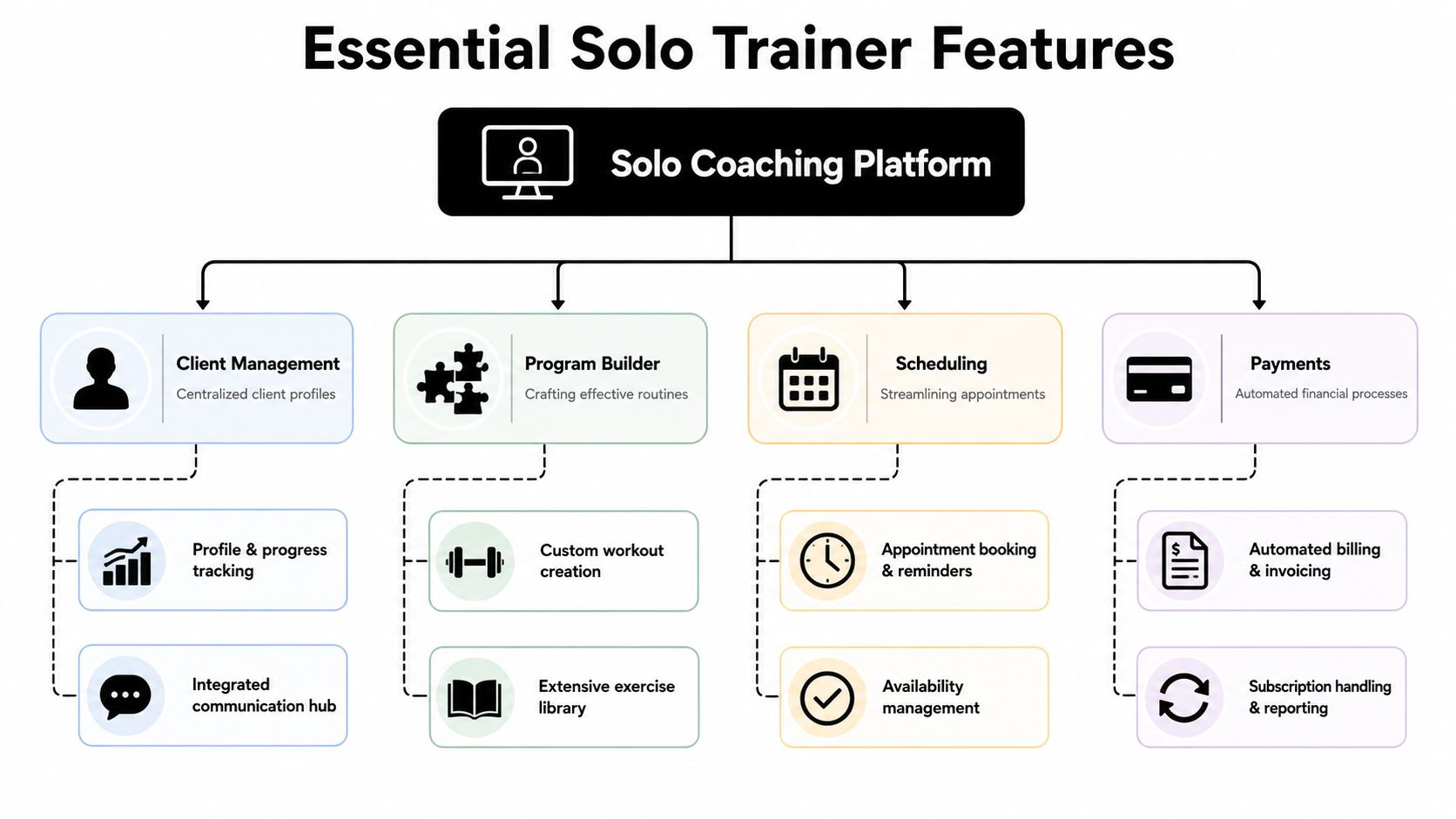
Industry guides now treat member profiles, class scheduling, integrated payments, automated billing, and self-service booking as standard features, and note that basic systems for small studios often start around USD 50 to USD 100 per month in Virtuagym's guide to fitness studio software. For a solo coach, that matters less as a price benchmark and more as proof that these basics aren't premium extras anymore.
The non-negotiables
Client profiles that hold the full story
You need one record for each client with notes, goals, progress markers, conversations, and service details. When that information is split across Notes, text threads, and spreadsheets, you end up coaching from memory. That works until it doesn't.A program builder you can use fast
This isn't about having the biggest exercise library on earth. It's about building sessions quickly, duplicating templates, adjusting progressions, and keeping delivery clean. Good software should reduce friction between your coaching brain and the plan the client sees.Simple scheduling for one-on-one work
If your business is mostly personal training, you don't need class-heavy complexity. You need availability, appointment booking, reminders, and a clean way to handle changes without back-and-forth.Integrated messaging
Clients shouldn't disappear into your phone. When messaging sits inside the client record, context stays attached to the person. That means fewer missed details and cleaner follow-up.Payments and recurring billing For many coaches, payments and recurring billing remain too casual for too long. Reliable recurring billing protects your cash flow and removes the monthly mental load of chasing payments. If you're tightening up that side of the business, this guide on setting up recurring payments for coaching clients is worth a read.
What matters less than coaches think
Some features look impressive in a demo and barely matter in real life.
Feature type | Usually matters | Often overrated for solo coaches |
|---|---|---|
Daily delivery | Programming, scheduling, billing, messaging | Big studio reporting dashboards |
Client retention | Reminder flows, easy booking, clean communication | Complex staff permissions |
Time savings | Templates, automation, centralized data | Room management tools |
Clean execution beats a bloated platform. If basic tasks feel clunky, the advanced features won't save it.
A good software fitness studio platform should make ordinary tasks boring. Program, message, book, bill, repeat. That's the standard.
Advanced Tools That Help You Scale Past 20 Clients
The jump from a manageable roster to a crowded one doesn't fail because you forgot how to coach. It fails because your admin load starts growing faster than your systems.
Past a certain point, you can't run the business by handling every detail manually. You need tools that remove repeated decisions and reduce the number of times a client has to wait on you for something simple.
The features that actually create breathing room
Some tools start as nice extras and become essential once your roster gets heavier.
Self-serve booking tied to your real availability
This cuts out endless message chains. Clients can grab open slots, and you stop acting like a human calendar.Recurring session automation
If the same clients train on the same days, the system should reflect that automatically instead of making you rebuild the week over and over.Waitlists and real-time availability
These matter even for solo trainers, especially if you run small groups, semi-private sessions, or fixed high-demand time blocks.Habit and nutrition tracking
Not because every client needs deep nutrition coaching, but because accountability works better when it lives next to training, not in another disconnected app.Group communication and challenges
If you coach a mix of one-on-one and community-based offers, these tools help maintain engagement without turning every touchpoint into a manual task.
According to FitGap's analysis of fitness studio software, capacity-constrained scheduling, waitlists, and recurring session automation can improve scheduling efficiency by 20-30% once the platform has 6-12 months of attendance data. That detail matters. The software only gets smarter if you use it consistently enough to build history.
What scaling really looks like
A bigger roster needs a different operating style:
Stop treating every appointment as custom admin
If the same service repeats weekly, build a repeatable flow around it.Keep clients inside one system longer
Every time they leave your platform to pay, message, check habits, or book, drop-off risk goes up.Build around capacity, not just calendar space
A free hour isn't always available inventory if you've already overloaded your week with prep, check-ins, and reschedules.
The coaches who scale cleanly don't do more small tasks faster. They remove the need to do those tasks in the first place.
If you're comparing platforms built for coaching versus platforms that drift toward bulkier workflows and rising complexity, this breakdown of why trainers outgrow certain coaching software setups gives useful context.
A software fitness studio platform should help you protect energy, not just pack in more appointments.
How to Evaluate Vendors So You Never Switch Again
Most coaches switch platforms for the wrong reason the first time. They buy on features. They leave because of trust.
The pain usually sounds familiar. Pricing climbed without a clear explanation. Bugs sat there for months. Support answered like they'd never met a real coach. Then the company got bigger, got acquired, or just stopped caring about the small operator who built their business inside the product.
That's why vendor evaluation matters more than feature comparison.
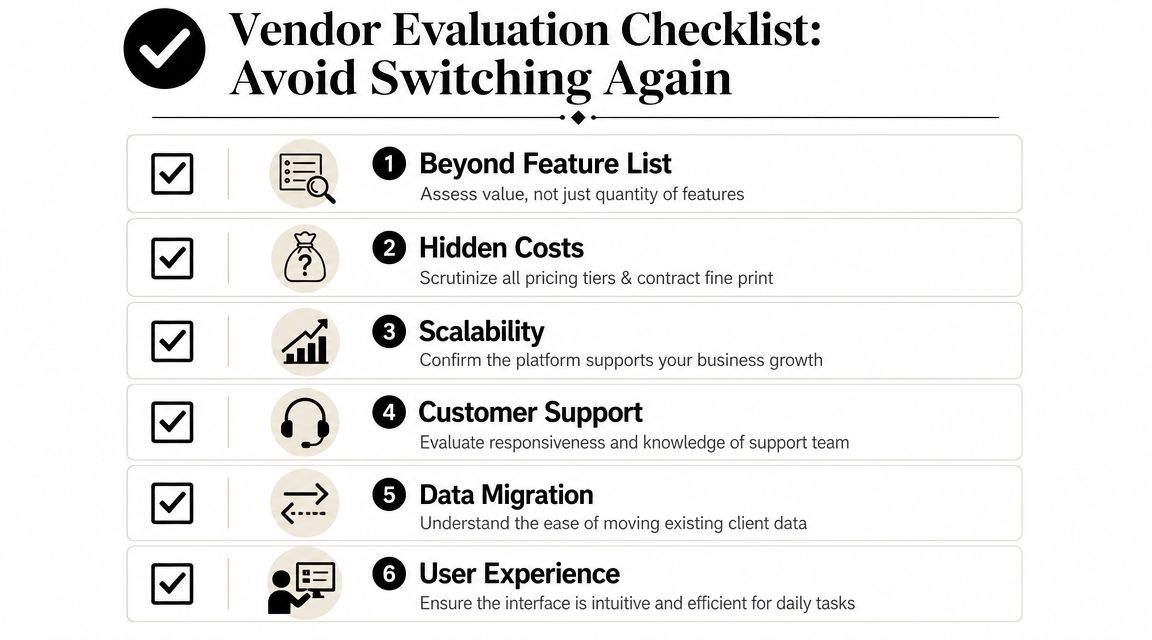
Ask better questions before you commit
Use these questions in every demo, email exchange, and trial:
Who is this product really built for
If the company talks mostly about studios, front-desk workflows, and class operations, a solo coach can end up paying for complexity they'll never use.How does support work Is there a real human response when something breaks, or just a help center and a ticket queue?
What happens when I grow
Does growth make the software better for your business, or just more expensive and harder to use?What kind of feedback loop exists
Coaches notice friction fast. If user feedback disappears into a black hole, the platform usually gets worse over time, not better.Is the interface calm enough for daily use
A demo can hide a lot. Day-to-day usability is what matters when you're moving fast between sessions.
One underserved need in the market is hybrid service management for solo coaches, not just class-centric operations. Public industry discussion still skews toward studio workflows, while solo coaches need programming, bookings, messaging, and payments in one practical setup without extra studio bloat, as reflected in industry coverage around evolving boutique wellness software.
Watch how the company behaves, not just what it promises
Before you trust a platform, test the people behind it.
Here's what I'd look for:
What to test | Good sign | Bad sign |
|---|---|---|
Support contact | Clear, human, direct answers | Generic replies that dodge specifics |
Product philosophy | Built around coaching workflows | Built around broad market language |
Founder credibility | Someone close to real client delivery | Pure investor or enterprise messaging |
Product updates | Feedback appears to shape changes | The roadmap feels disconnected from users |
If the company feels distant before you pay them, it won't feel closer after you migrate your whole business.
Founder context matters. A tool shaped by someone who still coaches understands details that outsiders miss, like how annoying it is to rebook a no-show during a packed day, or how quickly trust drops when a payment issue lands in front of a client.
If you want a sharper lens for comparing options, this guide to the best personal trainer apps for working coaches is a useful companion. The big point stays the same. You're not choosing a feature stack. You're choosing a business partner.
Pricing and Contract Red Flags to Avoid
Cheap software can become expensive fast when the actual business model is hidden on the pricing page.
By the time a coach realizes that, they've already moved clients, rebuilt programs, and tied payments into the platform. That's why pricing deserves the same scrutiny you'd give a training contract.
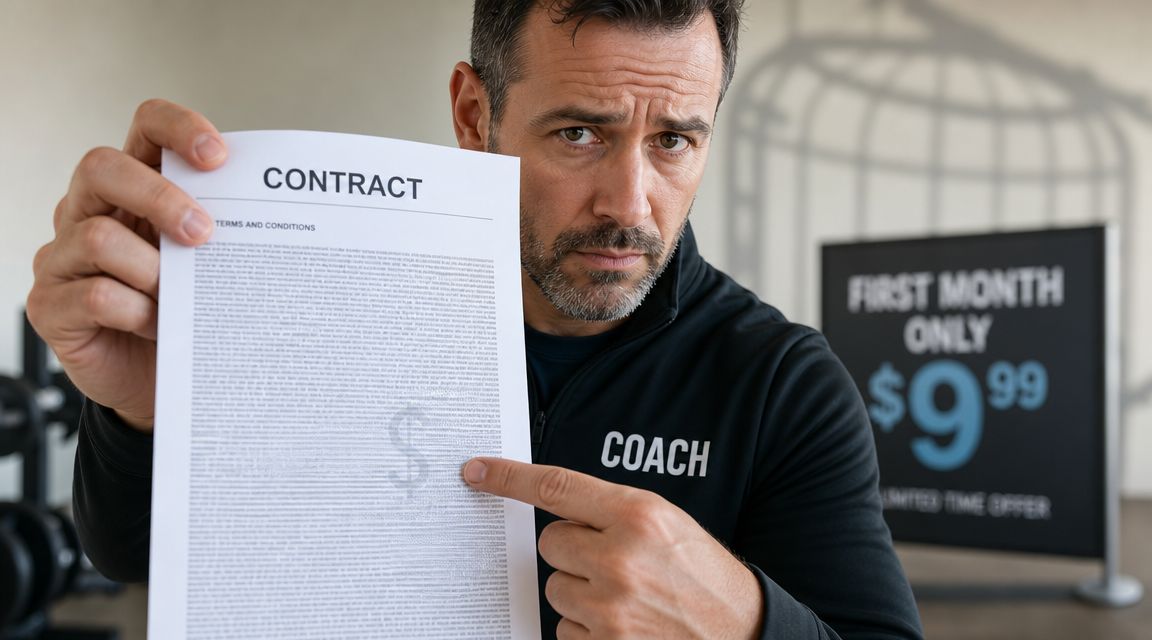
Independent comparisons in 2025 repeatedly flag hidden fees, surprise price increases, and complex setups as common frustrations in the category, according to Passm8's roundup of fitness studio software solutions. That lines up with what a lot of coaches already know from experience. The problem usually isn't the first invoice. It's everything that shows up after you're committed.
The red flags worth taking seriously
A low starting price that hides essential features
If booking, payments, messaging, or usable reporting sit behind higher tiers, the entry plan is just bait.Per-client pricing that punishes growth without warning
Charging by active client isn't automatically bad. What matters is whether the math stays predictable as your roster grows.Long contracts with weak exit options
If the product gets worse, support drops off, or your business changes, you need a reasonable path out.No proper trial or realistic demo access
You shouldn't have to commit blind. Daily workflow matters too much.Setup complexity sold as customization
Some platforms turn onboarding into a project. For a solo coach, that usually means a lot of unpaid admin.
A quick pricing gut check
Use this short checklist before signing anything:
Can you explain the full bill to yourself in one sentence
Do the terms stay clear if your client count changes
Can you leave without a fight
Are support and onboarding included, or an undisclosed extra
Would you still choose it if the headline price disappeared
If you want a benchmark for what transparent pricing looks like, review FitCentral's pricing page. Even if you choose something else, that kind of clarity is what you should expect from any software fitness studio provider.
Your Simple Migration and Onboarding Checklist
A lot of coaches stay on bad software for one reason. Moving feels worse than staying.
That fear makes sense. You've got client notes, active programs, payment setups, recurring sessions, and years of little details that keep service running smoothly. But migration gets easier when you stop treating it like one giant task and break it into a controlled handoff.
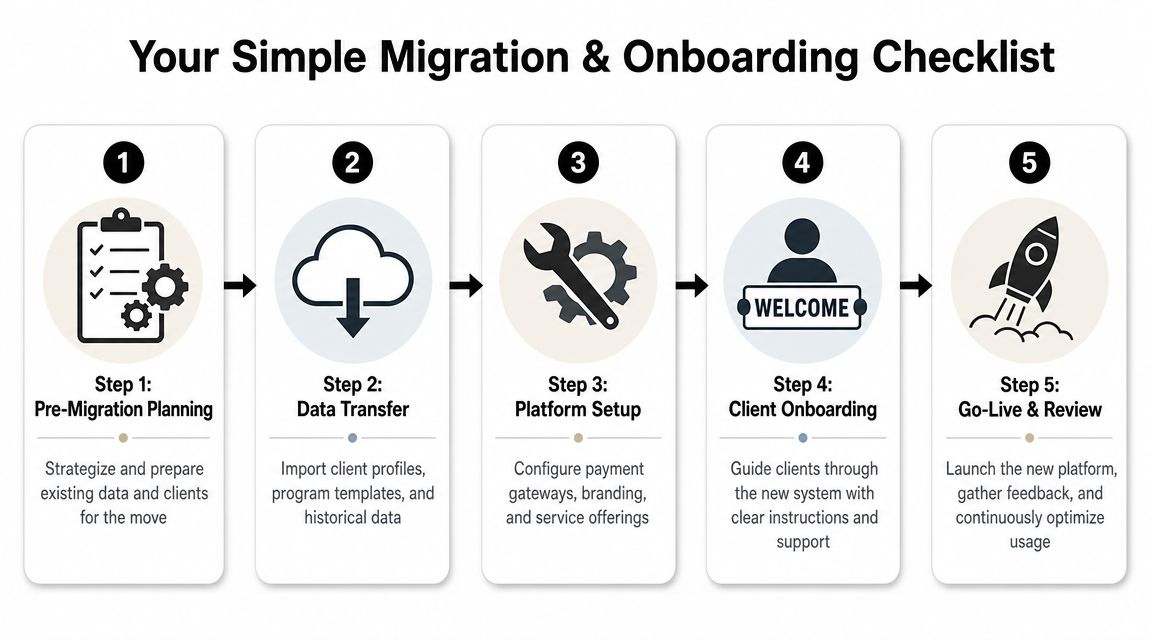
Before you move anything
Start with cleanup, not imports.
Export your current data
Pull client names, contact details, service types, recurring schedules, notes, and active plans into one working file.Audit what's worth keeping
Old duplicate templates, dead leads, and outdated programs don't need to come with you.Message clients early
Keep it simple. Tell them why you're changing, what improves for them, and when they'll get instructions.
A smooth migration feels organized to the client long before they ever log into the new app.
During the switch
Treat the move like a sequence, not a scramble.
Import client records first
Get people into the system before rebuilding the fancy stuff.Set up payments before launch day
Billing problems are the fastest way to create client distrust.Rebuild your core templates
Start with the programs, packages, and check-in flows you use every week.Test booking with a small group
Use a few trusted clients to catch confusion early.
If you want a better sense of what a strong onboarding flow should include, this guide to client onboarding software for coaches is a helpful reference point.
After go-live
The first week matters more than the migration weekend.
Use a short review list:
Confirm everyone can log in
Check that recurring payments are working
Make sure reminders are being delivered
Ask a few clients what felt confusing
Fix friction immediately
A software fitness studio platform only helps if adoption sticks. Clients don't need a long tutorial. They need one clear message, one clean login, and one obvious next action. If you control that first impression, the move usually feels a lot smaller than you feared.
Your Next Step for a More Reliable Business
The best software choice usually isn't the one with the longest feature page. It's the one you can trust when a client needs something, a payment fails, or your schedule changes at the worst possible moment.
For a solo coach, reliability is a profit issue. Trustworthy support is a retention issue. Predictable pricing is a sanity issue. That's why choosing software fitness studio tools based only on flashy demos is usually a mistake.
A better filter is simple:
Does it handle your real workflow
Does the pricing stay understandable as you grow
Does the company act like your business matters
Would you feel comfortable building the next few years on it
Your next step is straightforward. Before you commit to any platform, send their support team a real question at 8 PM on a Tuesday. Ask something specific about migration, billing, or client management. The response you get, or don't get, will tell you more than the demo ever will.
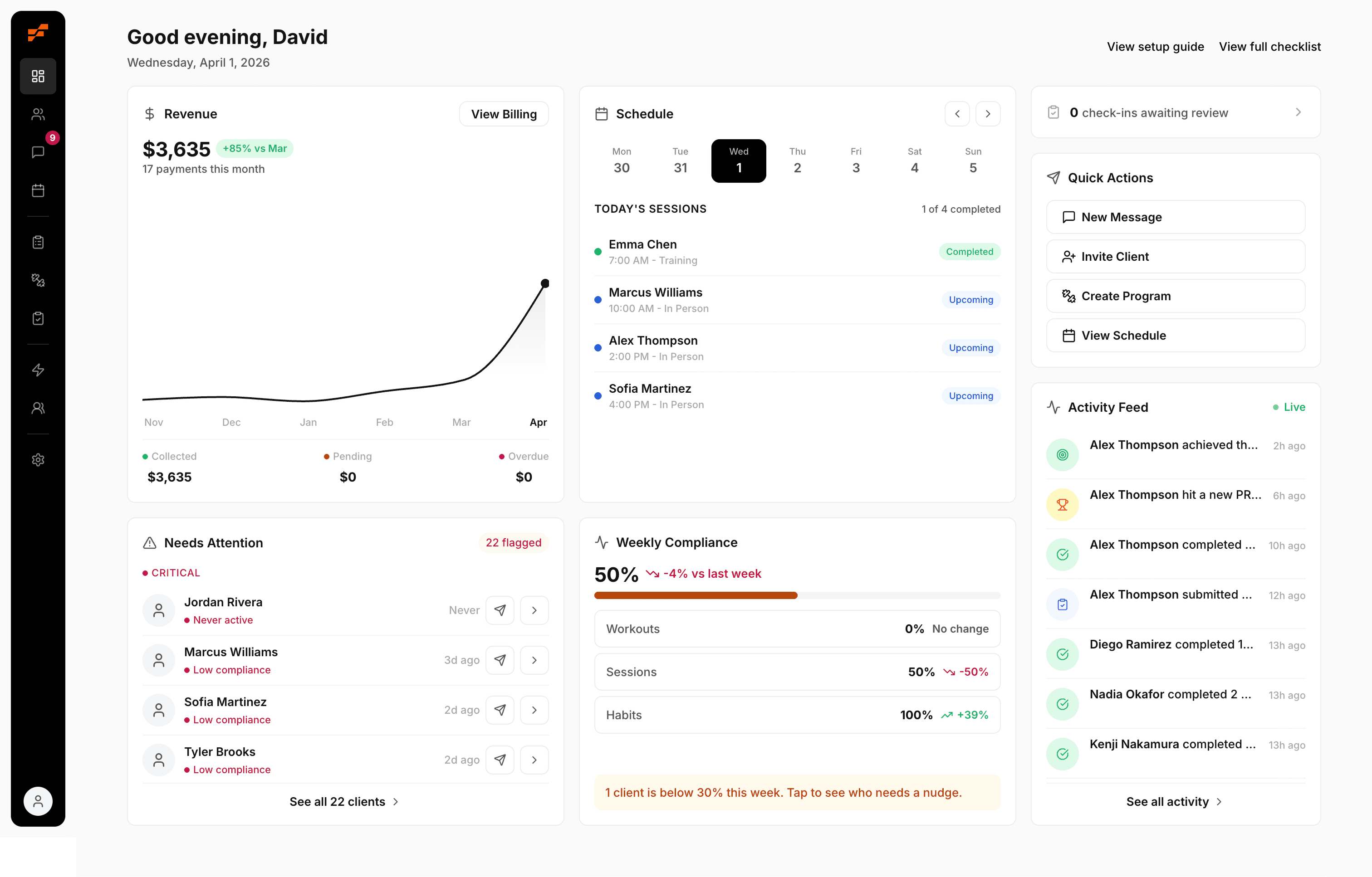
If you want a platform built specifically for solo trainers and coaches, FitCentral is worth a close look. It was co-founded by David Spitdowski, a practicing personal trainer, and it's built around the workflows coaches use every day: programming, scheduling, messaging, progress tracking, nutrition, habits, and payments. It's built for coaches who've already been burned by buggy software, weak support, and pricing that drifts over time. Start by looking at the product and asking the same hard questions you'd ask any vendor. That's exactly the point.
See also


Ready to stop fighting your software?
FitCentral gives you everything you need to manage clients, deliver results, and grow your business. Sign up today.