V 1.0
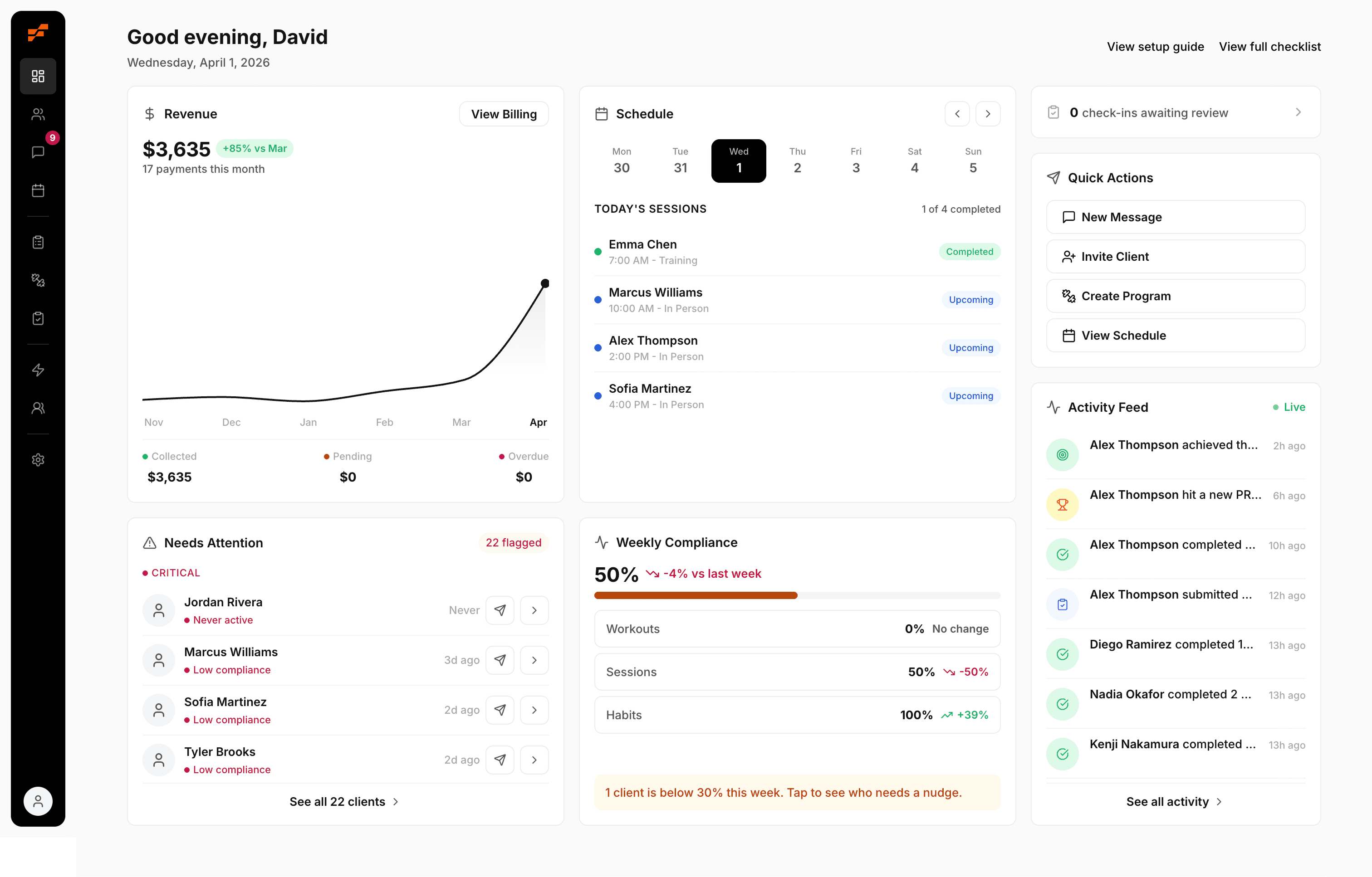
FitCentral is live
Today is the day. FitCentral is live and open for coaches.
If you coach for a living, you already know the gap between the work you love and the work that eats your week. You got into this to change bodies and lives, to watch a client hit a lift they swore they would never get, to be the person in their corner. Instead you lose your Sunday nights rebuilding the same program in a spreadsheet, you chase people for check-ins that never come, and your client conversations are scattered across texts, DMs, and three different apps.
We built FitCentral to give that time back to you.
FitCentral was co-founded by David Spitdowski, a personal trainer who still coaches his own clients on the platform every single day. Nothing in here is guesswork from people who have never run a session. Every screen was shaped by one real question: would this actually help a coach on a busy Tuesday with eight clients to program for. That is also a promise about how we run this company. We are small on purpose, which means when you tell us something is missing or broken, it goes straight to the people who can fix it, not into a queue that never moves.
This changelog is where you will watch that promise play out. Every time we ship something new, improve something, or fix something, it shows up right here, so you can see the platform grow alongside your business. Here is everything that is ready for you on day one.
New
Build training programs without losing your Sundays
Create a program once, with sets, reps, rest, and your coaching notes, then assign it to a client in a couple of taps. Attach a demonstration video to any exercise so your clients know exactly how the movement should look, even when you are not standing next to them. If a client tweaks a shoulder or their gym is missing a piece of equipment, swap the exercise on the spot without tearing the whole plan apart. Your clients log every set as they train, so when you open their profile you see precisely what they lifted, not what they think they lifted.
A client app that makes you look as good as you are
Your clients train from a clean, modern app on iPhone and Android. They follow the plan you built, log their workouts set by set, track their food, and message you, all from their phone. Workouts even log when their signal drops in a gym basement and sync back up the moment they reconnect, so a bad connection never costs them their session. For a lot of coaches, this is the difference between looking like a real operation and looking like someone sending workouts in a notes app.
Nutrition coaching without policing every meal
Assign meal plans, build your own recipes, and let clients log what they eat against a built-in food database. They track their macros and their weekly compliance, and you see the trend without having to ask. Nutrition accountability turns into something that runs quietly in the background instead of a weekly argument.
Progress your clients can actually see
Clients capture progress photos, log body measurements, and record personal records as they hit them. Everything rolls up into clean, simple charts, so a client who feels stuck can look back and see the eight pounds on their squat and the inch off their waist. Progress that is visible is progress that keeps people motivated, paying, and showing up.
Scheduling and reminders that cut no-shows
Take session bookings, manage your calendar, and let FitCentral send automatic reminders so clients stop forgetting their sessions. Connect the calendar you already use so your coaching schedule and the rest of your life sit in one place, with no double-booking and no back-and-forth texting just to find a time.
Stay in your clients' corner between sessions
Message clients directly with text, photos, and voice messages. Record a quick voice note breaking down a client's squat video instead of typing three paragraphs about it. Send weekly check-in forms to capture how they are feeling, sleeping, and recovering, so you walk into every session already knowing what to address.
Habits and accountability that build real wins
Set daily habits and tasks for each client, from hitting their water to getting their steps to prepping their meals, and let them tick the boxes as they go. Streaks build, momentum builds, and the small daily wins that actually drive results stop slipping through the cracks.
A community that keeps clients motivated by each other
Create groups and run challenges with leaderboards. When clients see each other showing up, the motivation stops resting entirely on you, and a little friendly competition carries people through the weeks when willpower runs thin.
Billing and payments in one place
Handle your billing and collect payments from your clients without stitching together separate tools, so you can spend your energy on coaching instead of chasing invoices.
Automation that handles the routine for you
Set up automatic messages, milestones, and goals so your routine touchpoints, the welcome message, the milestone congratulations, the nudge at the right moment, happen on their own. You stay personal at scale without manually sending the same message fifty times.

Ready to stop fighting your software?
FitCentral gives you everything you need to manage clients, deliver results, and grow your business. Sign up today.