10 Examples of Macros That Save Coaches Hours a Week
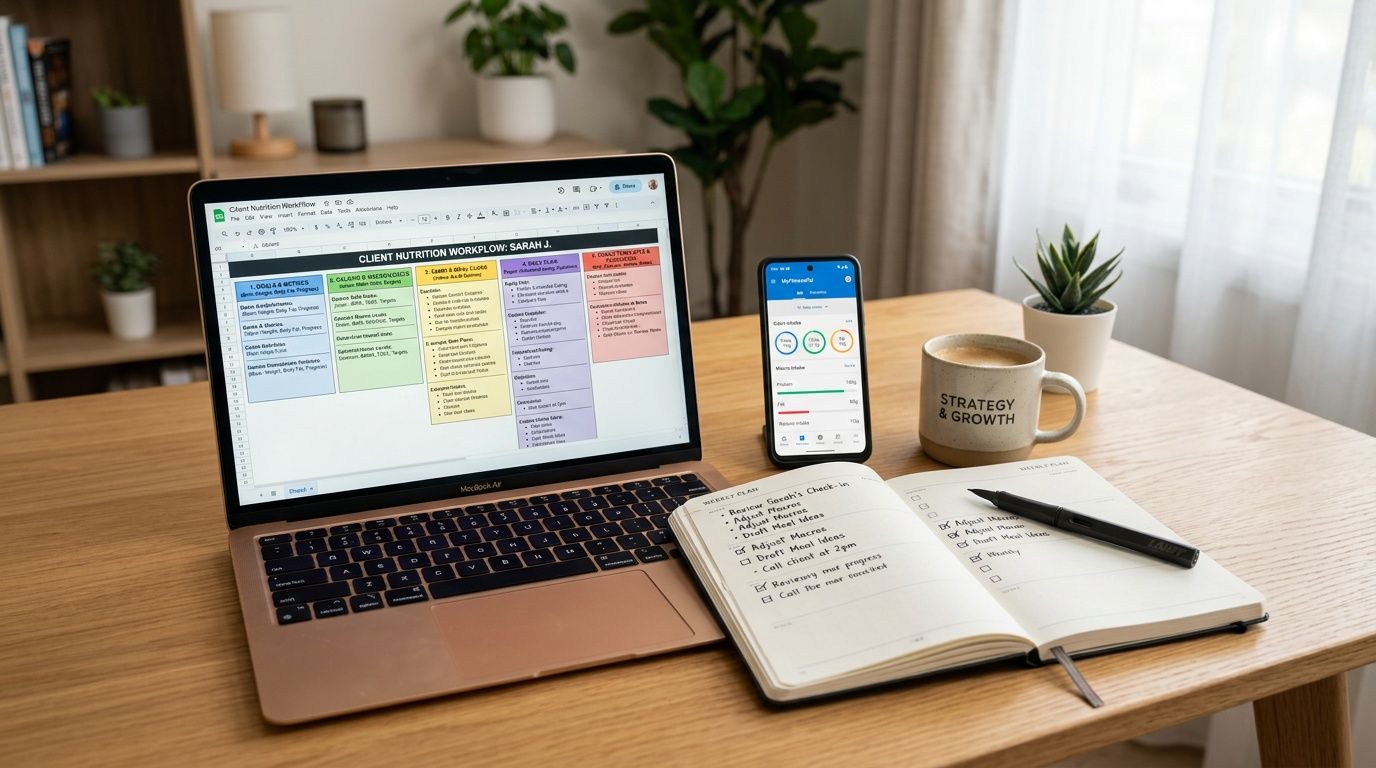
It's 8 PM on a Tuesday. You just finished your last session, but your day isn't over. You still have to build a new hypertrophy program for the third time this month, chase down a late payment, and remind two clients to send their weekly progress photos. None of that is coaching. It's admin work, and it drains the same energy you need for client decisions.
The coaches who stay sharp with a full roster don't just work harder. They standardize what repeats. They build macros, not the nutrition kind first, but workflow macros that turn the same weekly tasks into reliable systems.
That matters because repetitive work stacks fast. In one peer-reviewed healthcare workflow study, sorting vital signs took 12.3 minutes manually versus 13.7 seconds with macros, and lab data sorting took 2.6 minutes manually versus 13.7 seconds with macros, a 90 to 94 percent reduction in processing time. Coaching businesses aren't hospitals, but the principle is the same. If you repeat a task often enough, manual handling becomes the bottleneck.
These are 10 practical examples of macros you can implement this week to save time, reduce errors, and protect your bandwidth for actual coaching.
Table of Contents
1. Workout Program Template Macro
Build the repeatable middle
2. Client Onboarding Sequence Macro
Build different paths for different clients
3. Recurring Payment Reminder Macro
Keep it neutral and fast
4. Progress Photo and Metrics Logging Macro
Make reporting easy for the client
5. No-Show Prevention and Rescheduling Macro
Fix friction before it becomes attrition
6. Weekly Check-In and Adjustment Macro
7. Nutrition Logging Compliance Macro
Build the macro around adherence, not ideal data
8. Client Engagement and Habit Tracking Macro
Track the habits that predict follow-through
9. Workout Logging and Performance Tracking Macro
Use alerts that actually matter
10. Client Testimonial and Case Study Collection Macro
Ask at the right moment
Comparison of 10 Client-Management Macros
Your First Macro A 24-Hour Action Plan
1. Workout Program Template Macro
Monday starts with three new clients, two check-ins, and a program edit that should take five minutes but turns into thirty because you are rebuilding a plan you have already written a dozen times. A workout program template macro fixes that. In this article, "macros" are not nutrition targets. They are repeatable workflow assets that let a coach deliver faster without turning every client into a copy-paste plan.
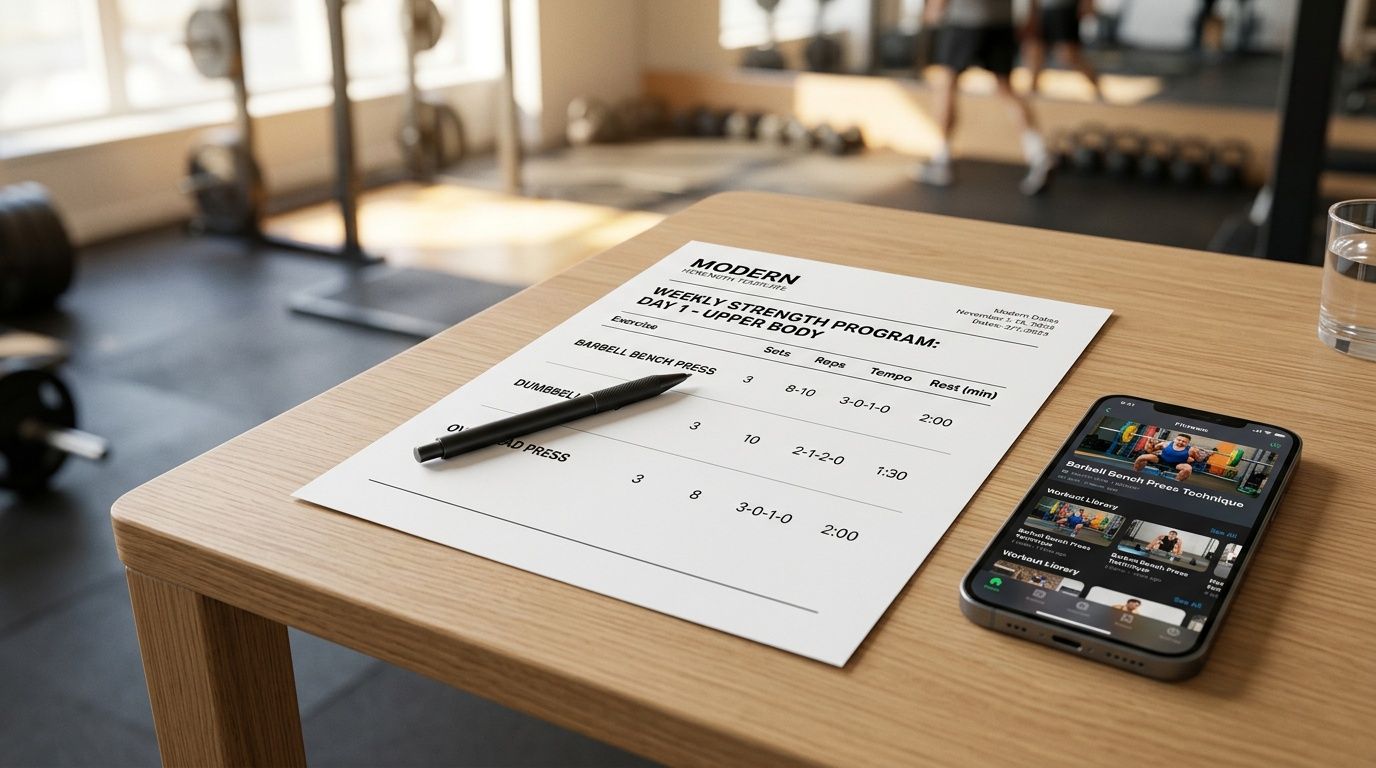
The best system is a controlled template library built around the programs you prescribe every week. Coaches who work with general fat loss, hypertrophy, and return-to-training clients usually repeat the same structure again and again. Authentic coaching happens in the adjustments. It happens in exercise selection, progression, pain management, and schedule fit. It does not happen in manually re-entering sets, reps, tempo, and rest periods.
Build the repeatable middle
Start with the plans you write most often. For many coaches, that means a three-day hypertrophy split, a return-to-lifting template with movement regressions, and a mobility or prehab block for clients coming back from time off. If you coach athletes, it may mean a power template with separate in-season and off-season versions.
A good macro covers the repeatable middle of the program. That usually includes weekly structure, exercise slots, loading guidelines, coaching notes, and progression rules. The edges stay open for judgment. A client with a shoulder flare-up, rotating shift work, or limited equipment still needs hands-on decisions. Trying to automate those cases too early usually creates more cleanup than time saved.
Template your highest-volume programs first: Pick three to five client archetypes you coach every month.
Pre-fill the fields you repeat every time: Exercise category, sets, reps, tempo, rest, substitutions, and progression logic.
Save versions on purpose: Label by goal, phase, or equipment setup so updates stay organized instead of drifting into duplicate templates.
Practical rule: Build macros for recurring coaching patterns. Keep true edge cases manual until you see the same constraint often enough to justify a template.
Software matters here, but only if it supports fast reuse and clean edits. A useful tool lets you duplicate a proven structure, swap what needs changing, and deliver the plan quickly. If you are sorting through options, this personal trainer app comparison is a solid starting point. Coaches who are also tightening their service standards should get clear on personal trainer requirements and responsibilities, because your templates need to match the level of coaching you promise clients.
2. Client Onboarding Sequence Macro
A new client pays, gets your first email, then disappears for three days because they missed the intake form, never booked the consult, and did not know which app to download. That is not a motivation problem. It is an onboarding problem.
A client onboarding sequence macro fixes it by turning your first week into a repeatable workflow. The sequence sends the welcome message, intake form, booking link, app setup instructions, baseline assessment steps, and the first small action in the right order. You stop rebuilding the same experience from memory every time someone signs up.
The key is to build the flow around what the client needs to do next, not what you want to explain. Long welcome messages create friction. Short messages with one clear task get completed.
Build different paths for different clients
One generic onboarding flow usually creates cleanup later. An in-person training client needs studio logistics, session expectations, and clear instructions for baseline photos or movement screens. An online nutrition client needs logging setup, meal tracking rules, and a simple first assignment that gets them using the system fast. A returning client usually needs a condensed version so you do not force them through steps they already know.
That split saves time on both sides. It also cuts down on support messages, because clients are not sorting through instructions that do not apply to them.
Set one trigger: Start the sequence the moment payment clears or the package is assigned.
Give each message one job: Complete the form, book the call, download the app, or upload the baseline data.
Leave space between steps: If every message lands at once, clients skim and miss the action.
Flag coach-touch moments: Health history concerns, injury notes, or unclear goals should route to you, not stay buried in automation.
Good onboarding macros do more than save admin time. They set the tone for your coaching. If you work with assistant coaches, or you are tightening your own delivery standards, review your personal trainer requirements and responsibilities so the automated steps match what you promise clients.
The best onboarding sequence answers one question at a time: what does this client need to do right now?
3. Recurring Payment Reminder Macro
Payment reminders shouldn't depend on whether you remembered them after your last session. If money collection is manual, you end up sending late messages, sounding reactive, and wasting attention on something that should run in the background.
A recurring payment reminder macro fixes that. The system sends a friendly heads-up before the charge, a follow-up if the payment fails, and a confirmation when everything clears. It also routes seriously delinquent accounts into a different workflow so you don't treat every missed payment the same way.
Keep it neutral and fast
The best reminder tone is direct and transactional. Not apologetic. Not aggressive. Just clear.
One business automation case showed a company using macros to handle monthly financial reporting workflows across 50 reports from subsidiaries, replacing a manual checking process that took 25 minutes with automated validation that took seconds, as described in this file checker macro case study. The coaching version is simpler, but the lesson holds. Repeatable financial admin should never eat premium coaching time.
Include the payment update link: Don't force the client to ask where to fix the card.
Split failed payment from overdue account handling: A card issue and a ghosted invoice aren't the same problem.
Test your timing on yourself first: If the reminder flow feels confusing to you, it'll feel worse to the client.
What works is consistency. What doesn't work is sending emotionally loaded reminders after you're already frustrated.
4. Progress Photo and Metrics Logging Macro
Progress tracking falls apart when clients have to remember the process on their own. They mean to send photos, weight, measurements, or performance notes, then life gets busy and your review week turns into a guessing game.
A progress macro solves that by prompting the client on a set schedule and collecting the data in the same format every time. That standardization matters more than having ten different data points. Clean, comparable inputs beat messy detail.
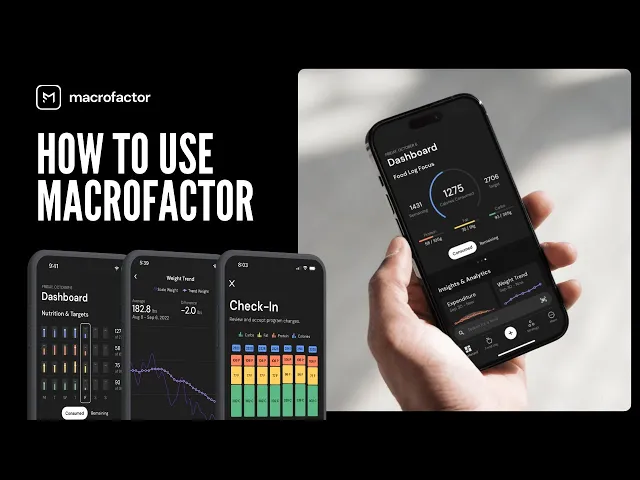
Here's the kind of visual review coaches want clients to understand from the start.
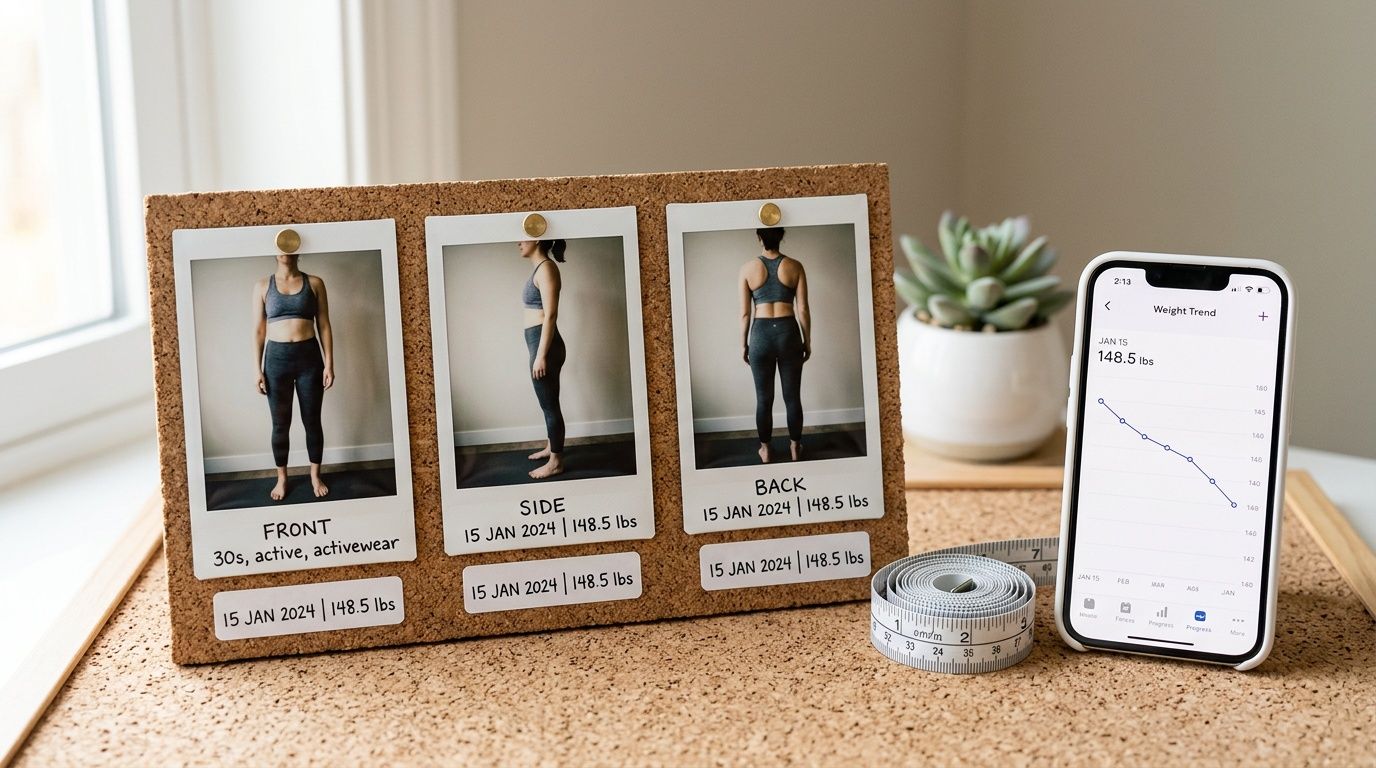
Make reporting easy for the client
Weekly or bi-weekly prompts work well because they create rhythm without making the client feel watched every day. Keep the request simple. Weight, photos, one performance marker, and one subjective note about energy, recovery, or confidence.
For clients logging nutrition too, context matters. The federal macro ranges in the 2020-2025 Dietary Guidelines for Americans set carbohydrates at 45 percent to 65 percent of daily calories, protein at 10 percent to 35 percent, and fat at 20 percent to 25 percent, with protein and carbohydrates providing 4 calories per gram and fat providing 9 calories per gram, as summarized in this dietitian explainer on counting macros. That gives coaches a useful baseline, but photos and check-ins tell you whether the plan is working in the client's real life.
Standardize photo instructions: Same lighting, same angle, same timing.
Start on week one: Early repetition lowers resistance later.
Show the client the timeline: If they never see the data organized well, they stop valuing the task.
A quick walkthrough like this can help clients understand what consistent tracking should look like in practice.
5. No-Show Prevention and Rescheduling Macro
No-shows usually start before the session is missed. The client got busy, forgot the location, lost the link, had a schedule conflict, or drifted because commitment was already shaky. If your process only starts after they miss the appointment, you're late.
A no-show prevention macro should handle reminders, logistics, and the reschedule path automatically. The better systems also flag patterns so you can spot the client who's slipping before they disappear.
Fix friction before it becomes attrition
A good reminder sequence changes by session type. In-person clients need time and location. Online clients need the link and a quick prompt to test tech if needed. Group clients usually respond better when the reminder includes some social accountability.
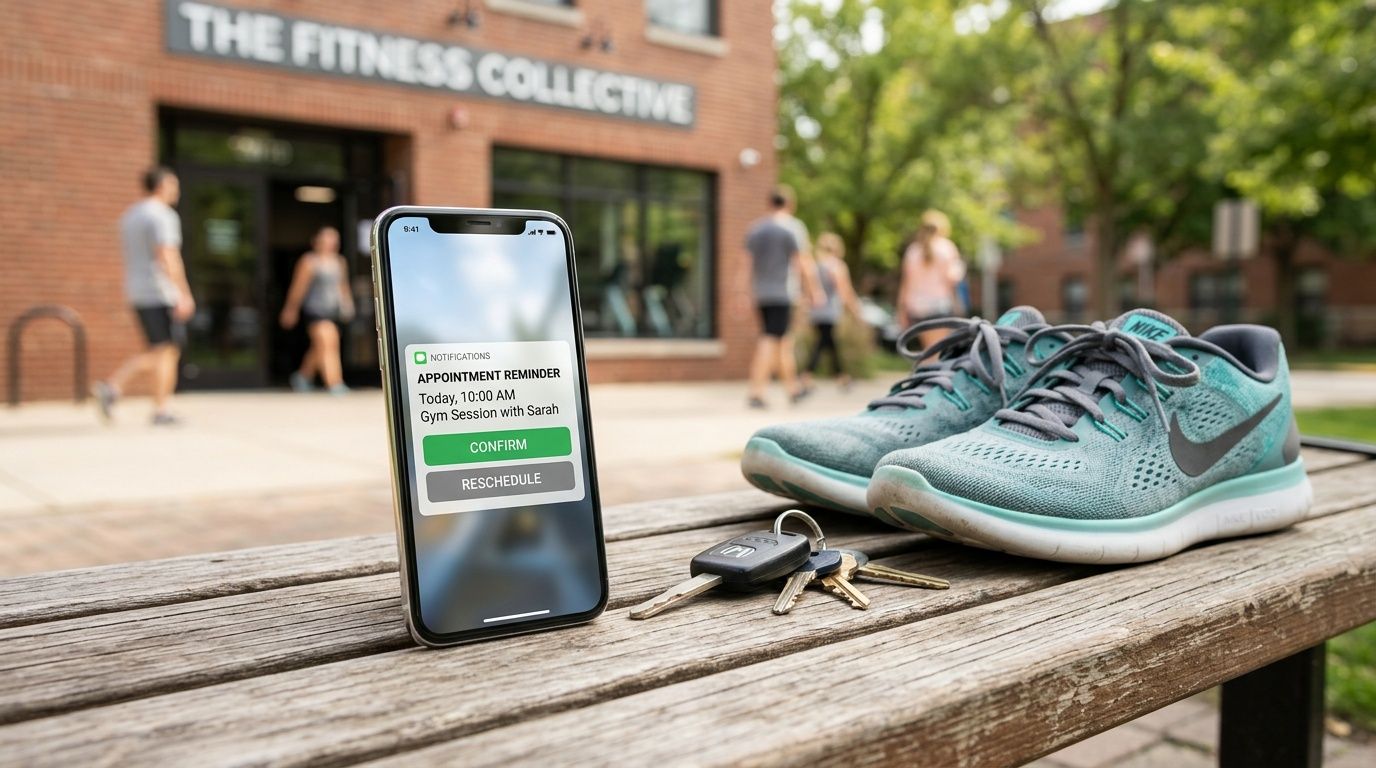
The bigger issue is that some missed sessions are structural, not motivational. Coaches working with lower-income, time-constrained, or logistically stretched clients often deal with transportation issues, childcare conflicts, or unstable schedules that standard scheduling tools don't address well, a gap highlighted in this discussion of macro-level intervention barriers for underserved populations. If that's your roster, your macro should support asynchronous check-ins, flexible rescheduling, and lower-friction alternatives instead of default punishment.
Offer the next step immediately: If they miss, send the next available options right away.
Track repeat patterns: Certain days and times do not work for some clients.
Escalate to a conversation early: Chronic no-shows need coaching, not just more reminders.
If a client misses because life is chaotic, more automation helps only when it reduces friction.
6. Weekly Check-In and Adjustment Macro
Monday morning is where a lot of coaching businesses lose time. Ten clients checked in, three gave vague answers, two mentioned pain, one had a rough weekend, and now you are sorting through everything by hand before the main work even starts.
A weekly check-in macro fixes that bottleneck. It sends the same short form on the same day, tags the responses that need review, and groups common issues so you can coach fast without treating every update like a fire drill. The macro handles sorting. You handle the decision.
Keep the check-in tight. Ask about training completion, recovery, pain or limitations, stress, confidence for the coming week, and one open response. That gives you enough signal to adjust load, swap exercises, or reach out personally without turning the check-in into homework.
The key trade-off is simple. More questions give you more detail, but response rates usually drop. I have found that a shorter form completed every week beats a detailed form clients avoid.
Use clear flags inside the workflow:
Pain or limitation mentioned: move the client into a same-day review queue.
Low confidence or missed sessions: trigger a coaching follow-up, not an automatic program rewrite.
Two or more off-weeks in a row: prompt a broader adjustment to schedule, recovery targets, or session volume.
No response by a set cutoff: send one reminder, then log it for follow-up.
If clients track food alongside training, connect that review to the same dashboard or to a simple nutrition tracking app for coaches and clients. Weekly adjustments get easier when training, recovery, and eating patterns sit in one place instead of three different tools.
Review trends monthly, not just week to week. One rough check-in may mean nothing. Four weeks of declining recovery or low session completion usually points to a programming issue, a schedule mismatch, or a client capacity problem that needs a real conversation.
Nutrition coaches already work this way. Strong nutrition coaching systems look at behavior, context, and adherence together, then use that pattern to guide the next decision. Your weekly check-in macro should do the same.
7. Nutrition Logging Compliance Macro
A client finishes a solid training week, then skips food logs for four days. By the time check-in comes around, you are guessing whether low energy came from under-eating, weekend drift, or simple forgetfulness. That is the gap this macro fixes.
The goal is not to push perfect tracking. The goal is to make nutrition data consistent enough to coach from. In practice, that means your workflow needs three parts. A simple logging method, reminders tied to missed entries, and a clear escalation path when compliance drops.
Build the macro around adherence, not ideal data
Coaches often make logging harder than it needs to be. They assign full macro tracking to clients who are still struggling to eat regular meals, then wonder why entries stop after a few days. Start with the lightest method that still gives you usable information.
A good system usually follows this progression:
Level 1: meal photos with timestamps
Level 2: meal photos plus hunger, energy, or digestion notes
Level 3: full macro and calorie logging for clients who can sustain it
Fallback option: one-day recall or a coached food audit when the habit slips
This is one of the strongest examples of macros in a coaching business because it turns a vague problem, "they are not logging", into a repeatable workflow. The system identifies the miss, sends the right prompt, and shows you whether the issue is skill, friction, or avoidance.
A few rules keep it useful:
Trigger reminders from behavior: missed breakfast log by noon, missed full day by a set evening cutoff, missed two days in a row triggers follow-up.
Keep the message neutral: reminders should reduce friction, not create guilt.
Coach the obstacle: if the client says logging feels tedious, switch methods before you repeat the same instruction again.
Review weekly patterns: look for skipped weekends, under-logged dinners, or inconsistent protein intake.
I have found that compliance rises when clients know exactly what counts as a successful log. For some, that is weighed food and full entries. For others, it is three meal photos and a note on hunger. Clear standards beat aspirational standards every time.
If you want one place to run that workflow, use a tool built for nutrition tracking for coaches. It gives you a cleaner handoff between reminders, review, and coaching decisions than piecing the process together across text threads and separate apps.
For clients who need a short reset, a structured accountability sprint can help. A 7-day photo logging challenge or consistency push often works better than asking for indefinite perfection. If you run those, this list of exercise challenge ideas for coaches can help you package the accountability piece without adding more admin work.
8. Client Engagement and Habit Tracking Macro
A client goes quiet for four days. They still show up to sessions, but sleep stops getting logged, walks fall off, and your messages get one-word replies. That drop in engagement usually shows up before a plateau, a missed payment, or a cancellation.
A good habit tracking macro catches that early. In this article, “macros” are workflow templates and automations, not nutrition targets. This one gives coaches a repeatable system to monitor a few high-value behaviors, trigger the right check-in, and keep clients connected between sessions without living in their DMs.
Track the habits that predict follow-through
The mistake is tracking everything. Coaches get better compliance when the macro watches two or three behaviors tied directly to the client's goal and current bottleneck.
For one client, that might be sleep, steps, and workout completion. For another, it's a bedtime cutoff, hydration, and a post-workout meal. The point is relevance, not volume.
Choose habits with a coaching use: If the client misses the habit, you should know what adjustment to make.
Set a clear success standard: “Walk 20 minutes” works better than “be more active.”
Build triggers around changes in behavior: Missed logs, broken routines, or a drop in response rate should start the follow-up.
Use the habit log in real conversations: Review it on check-ins so clients see that the system leads to decisions.
Specific feedback keeps the macro from feeling generic. “You hit your walk target five days this week, so recovery looked better by Friday” gets more traction than “Great job.”
Streaks can help, but they are not universal. Some clients like the visible momentum. Others treat one missed day like failure and disappear for the rest of the week. Set the macro to reward consistency over time, not perfect compliance.
Clients stay engaged longer when the habit system feels achievable, visible, and tied to real coaching adjustments.
Group coaching adds another layer. A short habit sprint, step challenge, or recovery challenge can create momentum without adding much admin if the rules and reminders are templated in advance. If you want structured formats for that, these exercise challenge ideas for coaches are easy to adapt into a repeatable engagement macro.
9. Workout Logging and Performance Tracking Macro
You can't adjust what the client never logs. If workout completion, loads, reps, and effort aren't captured cleanly, programming decisions get slower and less accurate.
A workout logging macro should prompt the client right after the session, pull forward the last session's numbers, and flag unusual drops or jumps for review. It doesn't replace coach judgment. It gives you the signal sooner.
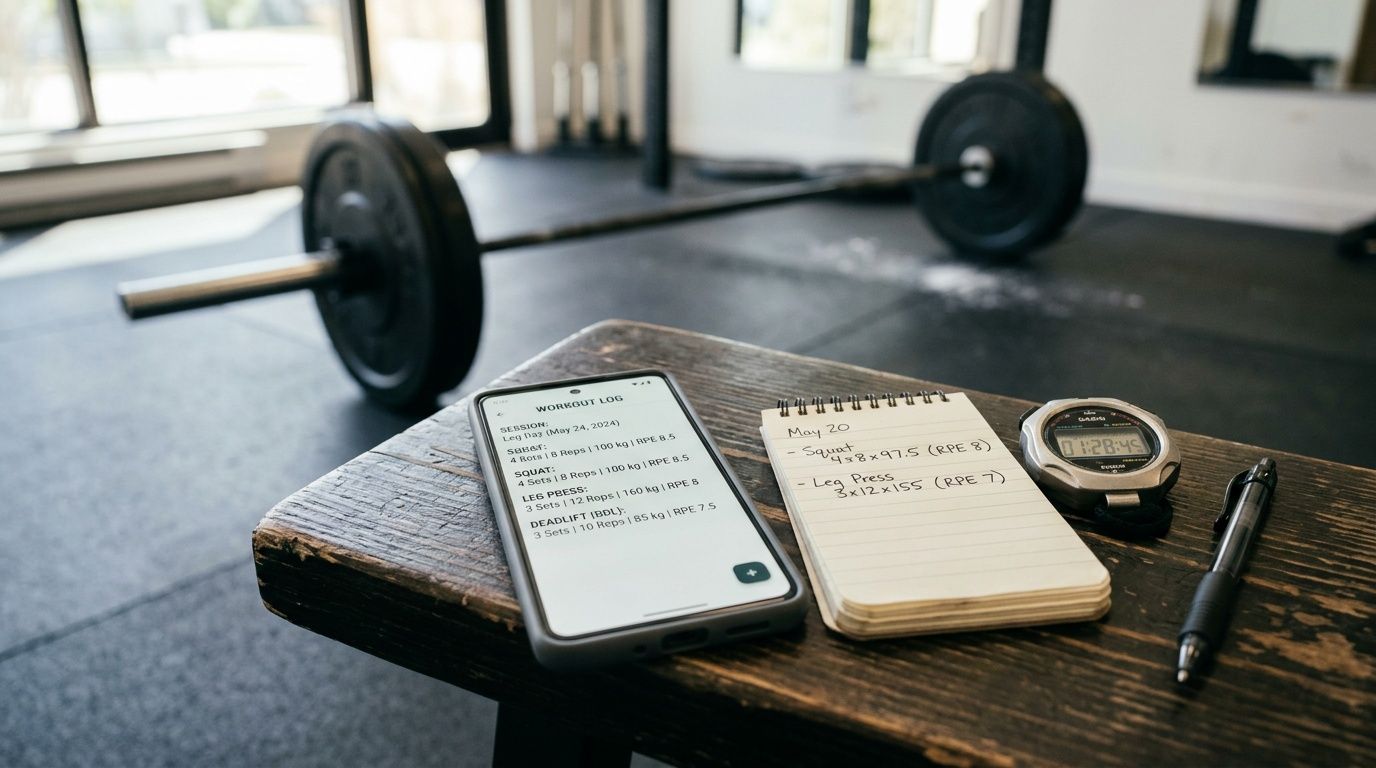
Use alerts that actually matter
Too many alerts and you'll ignore them. Too few and the macro becomes decorative. Set thresholds by lift type, client experience, and training phase. A machine chest press doesn't need the same review logic as a technical Olympic lift variation.
What works best is frictionless logging. The client opens the workout and sees exercises, prior weights, and simple fields for completion and effort. If they miss multiple logs in a row, that should trigger a real coach touchpoint, not endless automated nudges.
Pre-populate previous data: Clients log more consistently when they don't have to rebuild every set.
Flag stalls and spikes selectively: Use exceptions to direct attention, not to create noise.
Connect the log to programming decisions: Clients stay engaged when they see why the tracking matters.
Software either respects a coach's time or wastes it. Clean training logs should speed up decisions, not bury them.
10. Client Testimonial and Case Study Collection Macro
Most coaches ask for testimonials too late, too vaguely, or not at all. Then they need social proof for a sales page, an Instagram post, or a consultation call and realize they never built a system for collecting it.
A testimonial macro fixes that by asking at specific milestones, storing the response, and separating feedback from permission. That last part matters. A client might happily write about their results and still not want their photos or name shared publicly.
Ask at the right moment
The best time to ask is when the client has just felt progress clearly. That could be a body composition change, a strength milestone, a return to pain-free training, or a period of strong consistency. Don't wait until the energy has passed.
Keep the request short and guided. Two or three questions beat a blank text box every time.
Prompt around real milestones: The timing should feel earned, not random.
Separate use permissions: Testimonial text, photos, and video consent should each be clear.
Organize by goal type: Fat loss, strength, return to training, lifestyle consistency, sport performance.
What works is making it easy for the client to respond. What doesn't work is asking them to write your marketing for you.
Comparison of 10 Client-Management Macros
Macro | 🔄 Implementation complexity | ⚡ Resource requirements & maintenance | ⭐ Expected outcomes / quality | 💡 Ideal use cases | 📊 Key advantages / impact |
|---|---|---|---|---|---|
Workout Program Template Macro | Moderate, requires parameterization, templating and testing | Exercise library, version control, periodic updates | High ⭐, consistent programs, 60–75% time savings for common archetypes | Standardized strength, hypertrophy, sport-specific templates for large rosters | Faster program delivery, fewer transcription errors, easy auditing |
Client Onboarding Sequence Macro | Moderate, conditional flows, calendar and form integration | Messaging templates, calendar sync, intake forms; occasional tuning | High ⭐, consistent first impressions and faster intake capture | High-volume onboarding, mixed in-person/online practices | Reduced admin, fewer missed intakes, professional responsiveness |
Recurring Payment Reminder Macro | Low–Moderate, scheduling + payment gateway logic | Stripe/Square integration, retry logic, messaging copy | High ⭐, improved cashflow and fewer failed charges | Subscription/membership revenue models | Reduces payment failures, automates recovery, protects revenue |
Progress Photo & Metrics Logging Macro | Low, scheduled prompts and standardized uploads | Photo storage, privacy consent, metrics dashboard | High ⭐, visual evidence improves motivation and coaching decisions | Transformation programs and remote coaching | Visual timelines, documented results for testimonials, data-driven tweaks |
No-Show Prevention & Rescheduling Macro | Moderate, multi-stage reminders and auto-reschedule logic | Calendar sync, reschedule links, tracking of no-show trends | High ⭐, shown to reduce no-shows by ~40–50% | Appointment-heavy businesses (gyms, PT studios) | Fewer no-shows, automated rescheduling, early risk flags |
Weekly Check-In & Adjustment Macro | Moderate, surveys, flagging rules, auto-suggestions | Survey templates, dashboard rules engine, coach review workflow | High ⭐, early issue detection and data-driven adjustments | Ongoing coaching with frequent touchpoints | Flags problems early, supports targeted program changes, reduces churn |
Nutrition Logging Compliance Macro | Moderate–High, third-party integrations and escalation logic | Nutrition app integrations, compliance dashboards, reports | High ⭐, clearer intake visibility, better correlation with results | Nutrition-focused clients, weight-loss and athlete programs | Improves nutrition accountability, links intake to performance |
Client Engagement & Habit Tracking Macro | Low–Moderate, habit check-ins and gamification features | Habit trackers, streak system, optional leaderboard | Medium–High ⭐, increases engagement and habit adherence | Behavior-change coaching, group challenges, online communities | Boosts adherence via gamification, early engagement signals |
Workout Logging & Performance Tracking Macro | Moderate, real-time prompts, analytics and alert thresholds | Post-workout prompts, time-stamped logs, trend analytics | High ⭐, timely performance insights and overload/decline alerts | Strength athletes, data-driven programming, competitive clients | Immediate performance data, overtraining/form alerts, accurate trends |
Client Testimonial & Case Study Collection Macro | Low, milestone triggers, consent forms, media uploads | Forms for text/video, permission tracking, content library | Medium–High ⭐, steady source of social proof when timed well | High-ticket services, transformation-focused programs | Automates social-proof collection, organizes assets, ensures consent |
Your First Macro A 24-Hour Action Plan
These examples of macros aren't just software features. They're business systems that protect your coaching time.
You do not need to build all 10 this week. If you try, you'll create another half-finished project and resent the process. The better move is to pick the one task that annoyed you most in the last seven days and standardize that first.
For most coaches, the first win comes from one of four places. Program delivery, check-ins, payment reminders, or progress tracking. Those are high-frequency tasks, and they create immediate relief when they stop depending on memory.
Start with a simple audit. Write down one task you repeated this week. Then write the exact steps in order. What triggers it. What message gets sent. What file or profile gets updated. What follow-up happens if the client ignores it. That list is your macro blueprint.
Once you've got the blueprint, tighten it. Remove any step that doesn't improve the client experience or coaching decision. If a step exists only because you've always done it that way, cut it. Strong macros don't just automate busywork. They expose busywork.
There's also a practical reason to do this now. Coaches often think they need more discipline to stay organized, when what they really need is fewer repeated decisions. Every task you standardize saves mental bandwidth for actual coaching. Programming judgment, exercise selection, behavior change conversations, and retention work all improve when your day isn't clogged with admin.
A useful rule is this. Automate the repeatable action, not the coaching brain. Let the system send the reminder, collect the check-in, flag the issue, and organize the data. You still decide whether a client needs less volume, more accountability, a different session time, or a simpler nutrition target.
That separation matters even more in nutrition coaching. Macro targets can be helpful, but they only work when they fit the person in front of you. Broad federal guidance and example splits give you a starting point, not a substitute for observation. The same is true with business workflows. A macro gives you structure. You still provide the judgment.
If you want a clean first project, pick something you can finish in one sitting. Build one onboarding sequence. One missed-payment reminder. One weekly check-in form. One progress photo prompt. Get one macro working end to end, then expand from there.
By tomorrow, you should have one repeated task documented, one automation path chosen, and one manual process removed from your week. That's enough to create momentum, and momentum matters more than complexity.
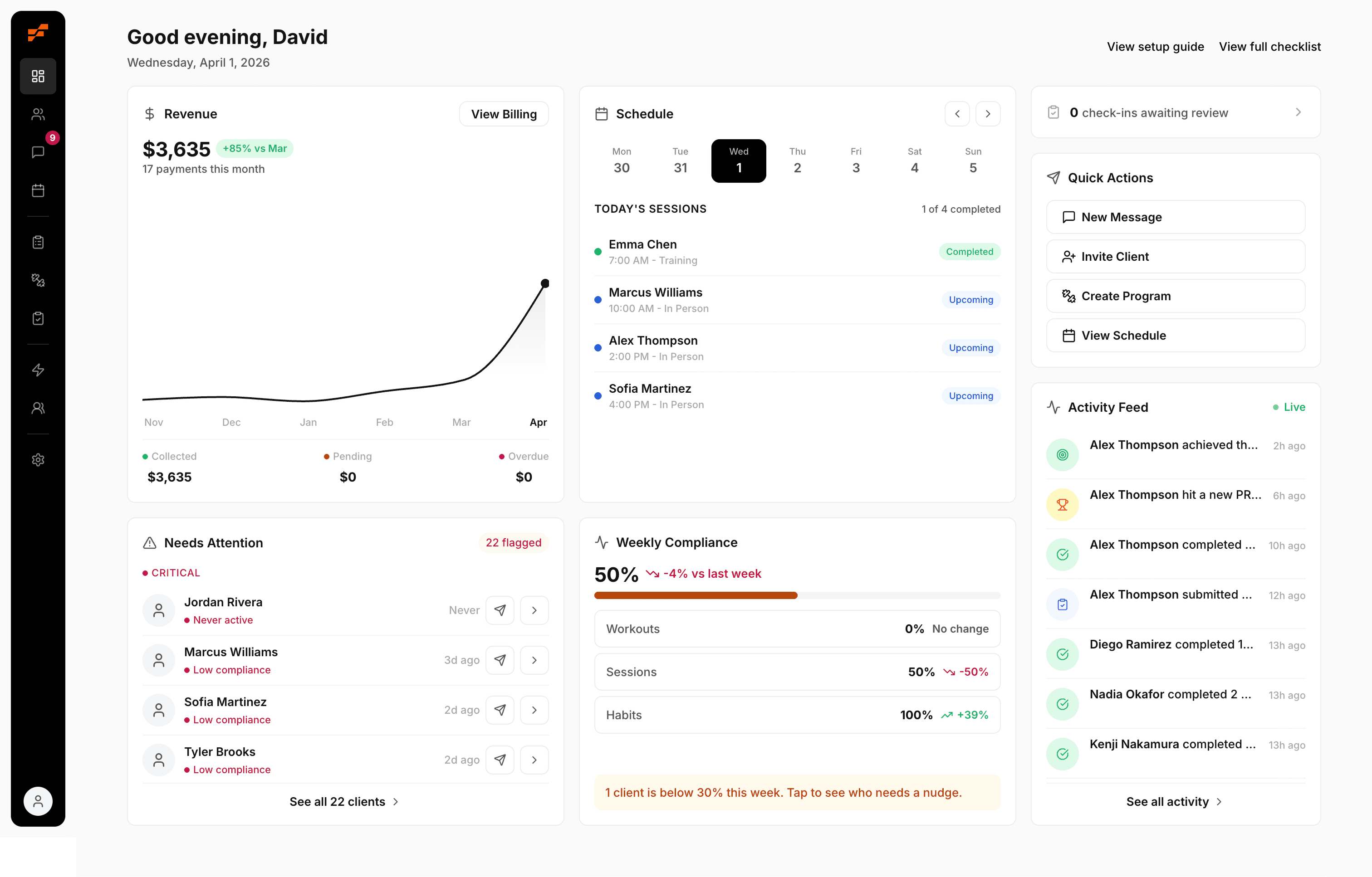
If you're ready to stop stitching together spreadsheets, payment tools, messaging apps, and workout docs, FitCentral gives you a practical place to build these macros into your coaching workflow. It was co-founded by David Spitdowski, a practicing personal trainer who still uses it with real clients, and that shows in the details. Programming, scheduling, reminders, progress tracking, nutrition logging, habits, and payments are built around how coaches work. Pricing is straightforward at $29 per month for the coach, plus $1 per month per active client, so you can set up one useful system this week and expand from there without wondering when the bill will jump.
See also
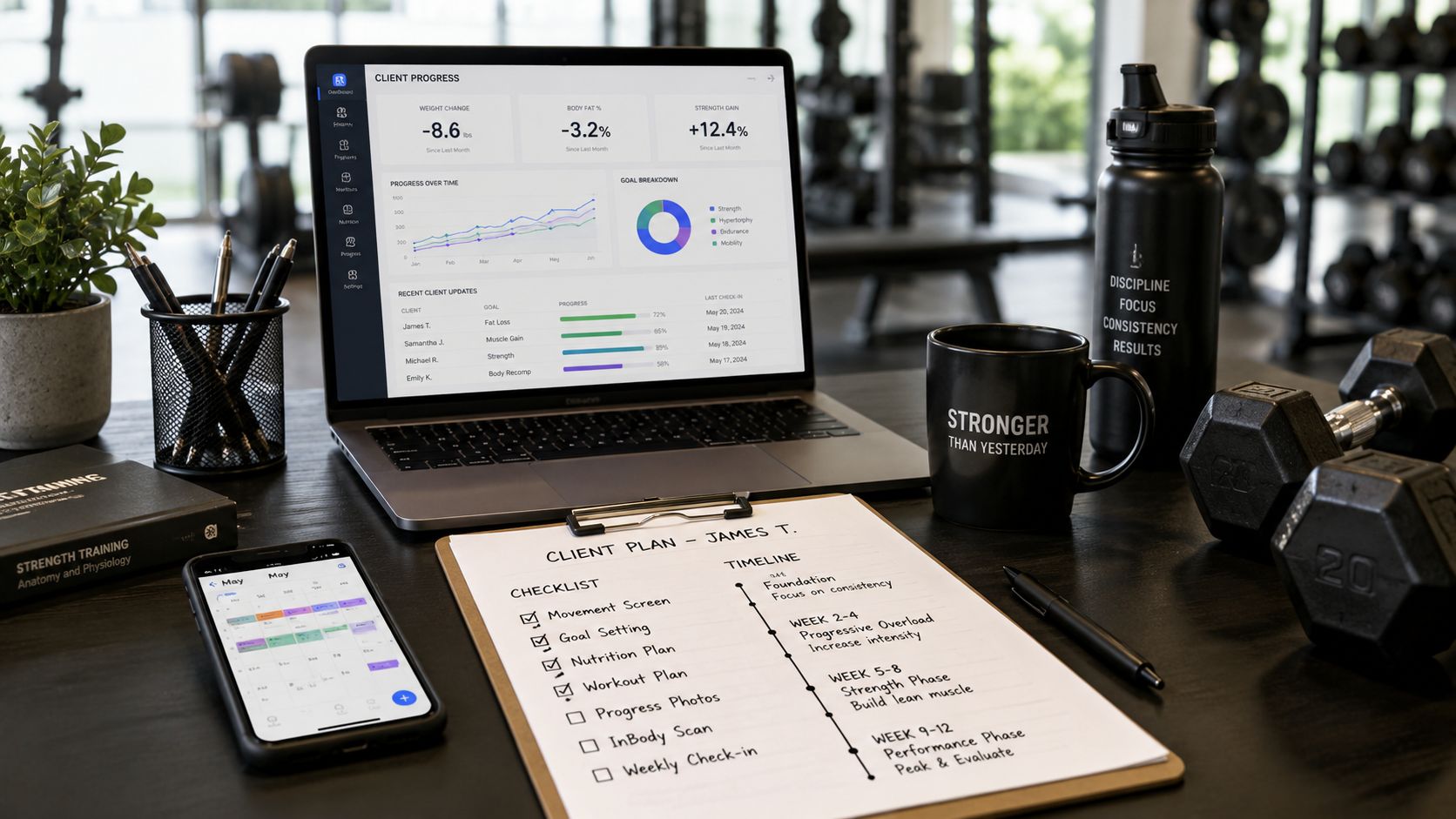



Ready to stop fighting your software?
FitCentral gives you everything you need to manage clients, deliver results, and grow your business. Sign up today.